#week 4 — Taming Logs, ASTs, and Graphs

This week in CodeAtlas was all about building the repo_parser, normalizing ASTs, wrangling Neo4j graphs, and surviving Node.js quirks. Lots of learning, debugging loops, and small victories!
1. Repo Parser: Building the Core Route
I started implementing the main API route for the repo_parser service:
Post  http://localhost:5001/generate-ast
body: {
    "repoName": "repo_name"
}
What it does:
Fetches filtered repository data from last week’s GitHub API work
Processes files for AST parsing
Prepares data for graph building
Challenges:
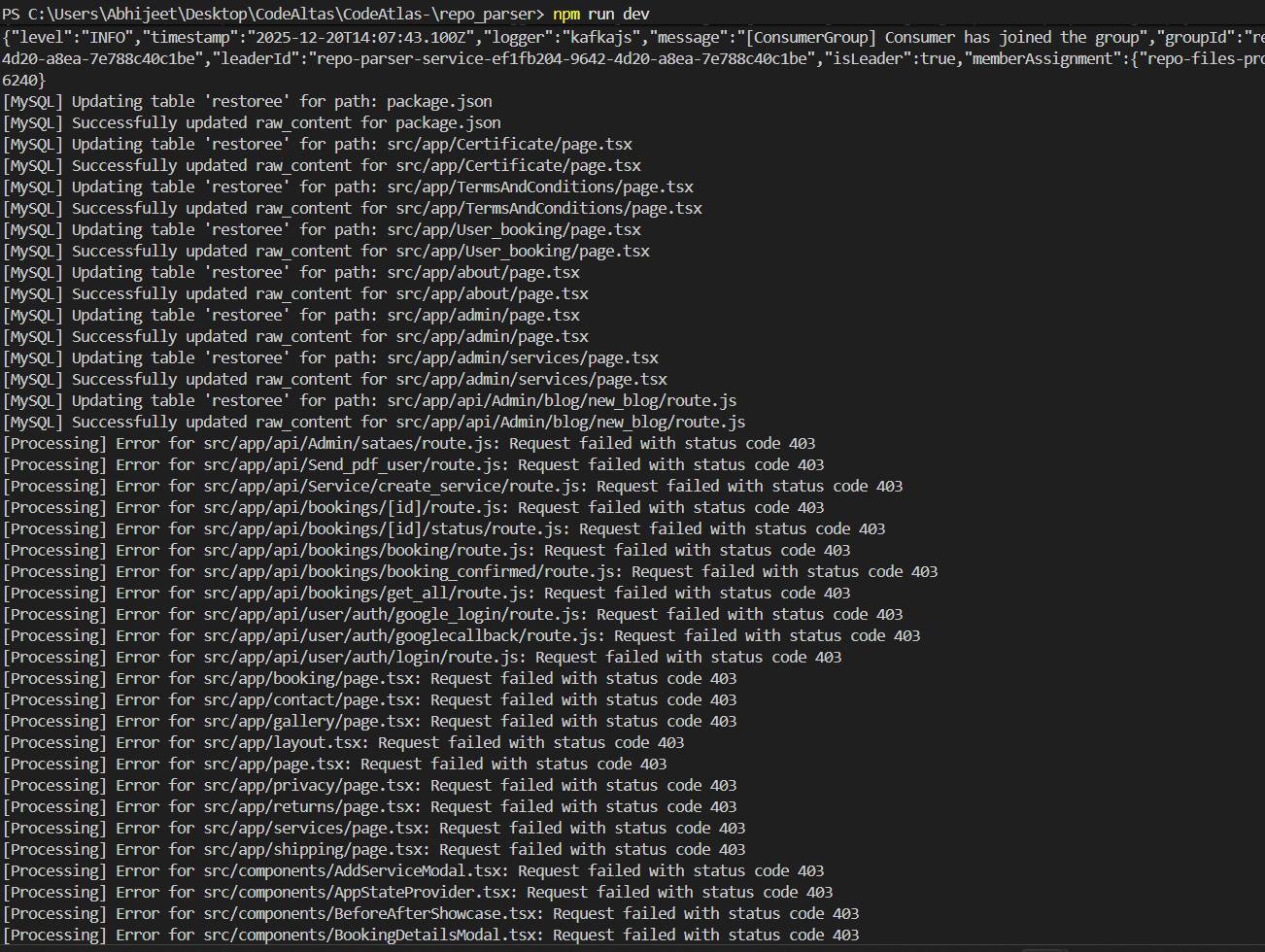
Node.js + nodemon restarted the server whenever logs were written
Logs for each file processed caused mid-processing restarts
Large repos → thousands of logs → hit GitHub API limits → endless restarts 😅
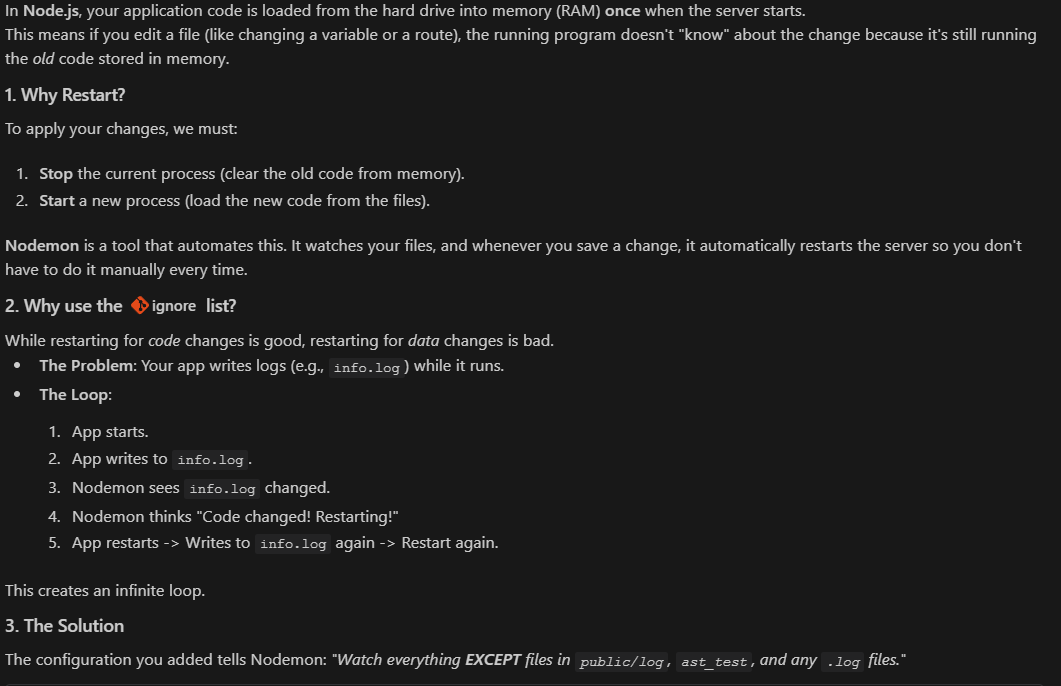
Solution:
Configured nodemon to ignore certain folders and log files:
{
  "ignore": [
    "public/",
    "public/**",
    "ast_test/",
    "*.log"
  ]
}
✅ Result: Server now runs smoothly without restarting on log writes
2. Node.js Event Loop & Parallel Processing
Once the repo parser was running, I experimented with parallel processing using Node’s event loop.
Setup:
Main service processing repo data
Log watcher service running alongside
Problem:
Log threshold reached while main service was busy
Event loop triggered server restart → endless loop
Functions stopped mid-execution → chaos
Lesson:
Node doesn’t have multiple threads; concurrency requires careful orchestration
Ignoring irrelevant files in nodemon prevents unnecessary restarts
Event loop management is key for processing large datasets
3. AST Normalization for Multiple Languages
Next focus: turning raw code files into normalized ASTs for graph building.
Key steps:
Single AST normalization didn’t scale → created language-specific normalization
Focused this week on JavaScript and TypeScript
Handled imports, exports, functions, and variables
Example snippet from a TypeScript file:
{
  "file": {
    "path": "string",           // Full path of the file
    "language": "string",       // Programming language
    "moduleType": "string",     // e.g., "module" or "script"
    "entryPoint": "boolean"     // Is this the entry point of the project?
  },
  "imports": [
    {
      "source": "string",       // Module/package being imported
      "kind": "string",         // "external" or "internal"
      "symbols": ["string"]     // Specific symbols/functions imported
    }
  ],
  "entities": {
    "variables": [
      {
        "name": "string",
        "kind": "string",       // "const", "let", "var"
        "valueType": "string"   // Type if known
      }
    ],
    "classes": [
      {
        "name": "string",
        "methods": ["string"],  // Method names in the class
        "properties": ["string"] // Properties in the class
      }
    ],
    "functions": [
      {
        "id": "string",         // Unique ID for the function (path + name)
        "name": "string",
        "scope": "string",      // "global" or "local"
        "params": ["string"],   // List of parameters
        "calls": ["string"]     // Functions or methods called inside
      }
    ],
    "modules": ["string"]       // Sub-modules or nested modules
  },
  "exports": [
    {
      "name": "string",          // Exported variable/function/class name
      "kind": "string",          // "variable", "function", "class"
      "default": "boolean"       // Is it a default export?
    }
  ]
}
Lessons Learned:
export defaulthandling in TS/JS is subtle but crucialNormalized ASTs allow consistent downstream graph building
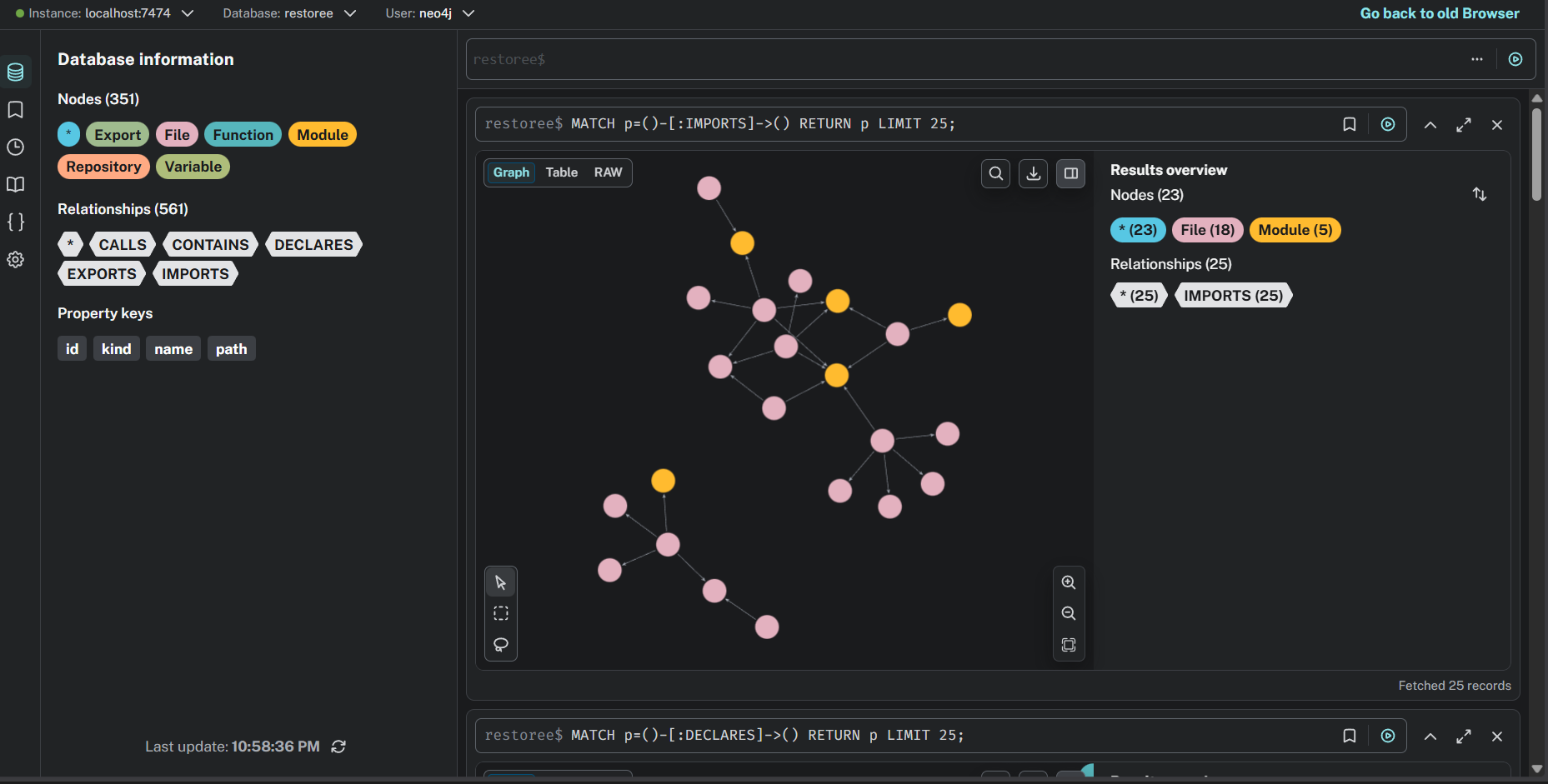
4. Neo4j Graph Database Challenges
Building the codebase graph brought its own hurdles:
Neo4j Community Edition can’t create multiple databases
Had to reset the entire database for new projects
Restarting servers mid-processing caused loops if not handled carefully
Takeaways:
Plan DB resets and graph creation carefully
Combine with nodemon ignore rules to prevent server loops
Visualizing ASTs and graphs becomes much smoother once normalized
Key Takeaways
Configure nodemon to ignore log and build folders
AST normalization must be language-specific
Event-loop management is essential for processing large datasets in Node
Neo4j Community Edition has limitations — plan accordingly
GitHub API limits require batching & caching strategies
What’s Coming Next
Next week, my focus on.
Handling GitHub API Edge Cases
Implement a middleware to check if the user has enough API quota before forwarding requests.
Prevent unnecessary API calls if limits are exceeded.
Handle errors gracefully when GitHub responses fail or are incomplete.
Managing Repository Updates
Detect when a repository has new commits or file changes.
Update the stored content in MySQL and the AST/graph without reprocessing everything from scratch.
Ensure incremental updates are efficient and consistent.
Resuming Interrupted Processes
If a repo parsing process stops midway (e.g., server restart, crash, or threshold reached), automatically resume from the last processed file.
Keep track of progress and avoid duplicating work.
Frontend & Visualization
If there’s time remaining, I’ll start building the frontend to visualize repositories, ASTs, and dependency graphs.
Focus on creating interactive and easy-to-navigate views for developers.
🤝 Contributions
Ideas, improvements, and suggestions are always welcome.
You’re encouraged to submit issues or pull requests to help evolve the platform.