#week 3 — Diving Into GitHub APIs, Visualizing Logs in Grafana & Adding Repo File Processing

This week was full of learning, confusion 😅, breakthroughs, and new features for CodeAtlas.
I continued building on last week’s logging system and started working with GitHub APIs for the first time — which was not easy at all.
Here’s everything I accomplished this week 👇
1️⃣ Understanding the GitHub API (The Hard Way)
This week I started working with the GitHub REST API using the official docs:
https://docs.github.com/en/rest?apiVersion=2022-11-28
But honestly… the docs confused me a lot at the beginning 😅
I couldn't understand half the endpoints or how authentication worked.
So I switched to watching YouTube tutorials, reading small examples, and using ChatGPT & Gemini for explanations.
Slowly, everything started making sense:
✔ How to authenticate
✔ How to fetch repository data
✔ How rate limits work
✔ How to structure requests properly
It was frustrating at first, but finally I was able to make successful requests and integrate them into CodeAtlas.
2️⃣ Connecting Logs to Grafana (Real-Time Visualization 🎉)
Last week, I built a full logging system → Winston → MySQL.
This week, I took it one step further:
✅ Logs are now visible in Grafana .
This means:
I can see logs from every microservice on a dashboard
Filtering and searching logs is super easy
No more digging through MySQL manually
Errors now pop up instantly
I can monitor the whole system visually
This alone made debugging and tracking behavior 10x easier.
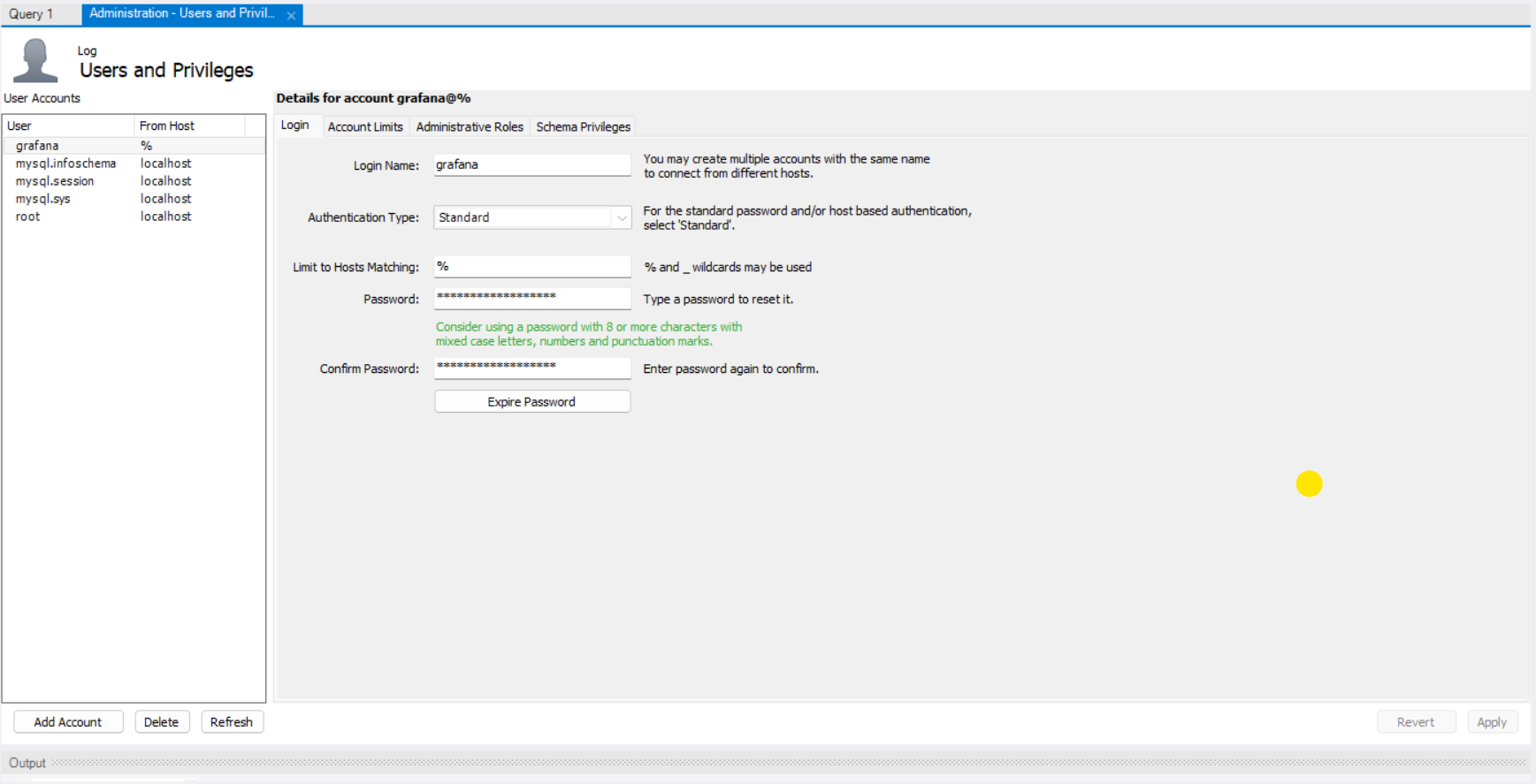
User Setup Creating the dedicated grafana user account in MySQL Workbench.
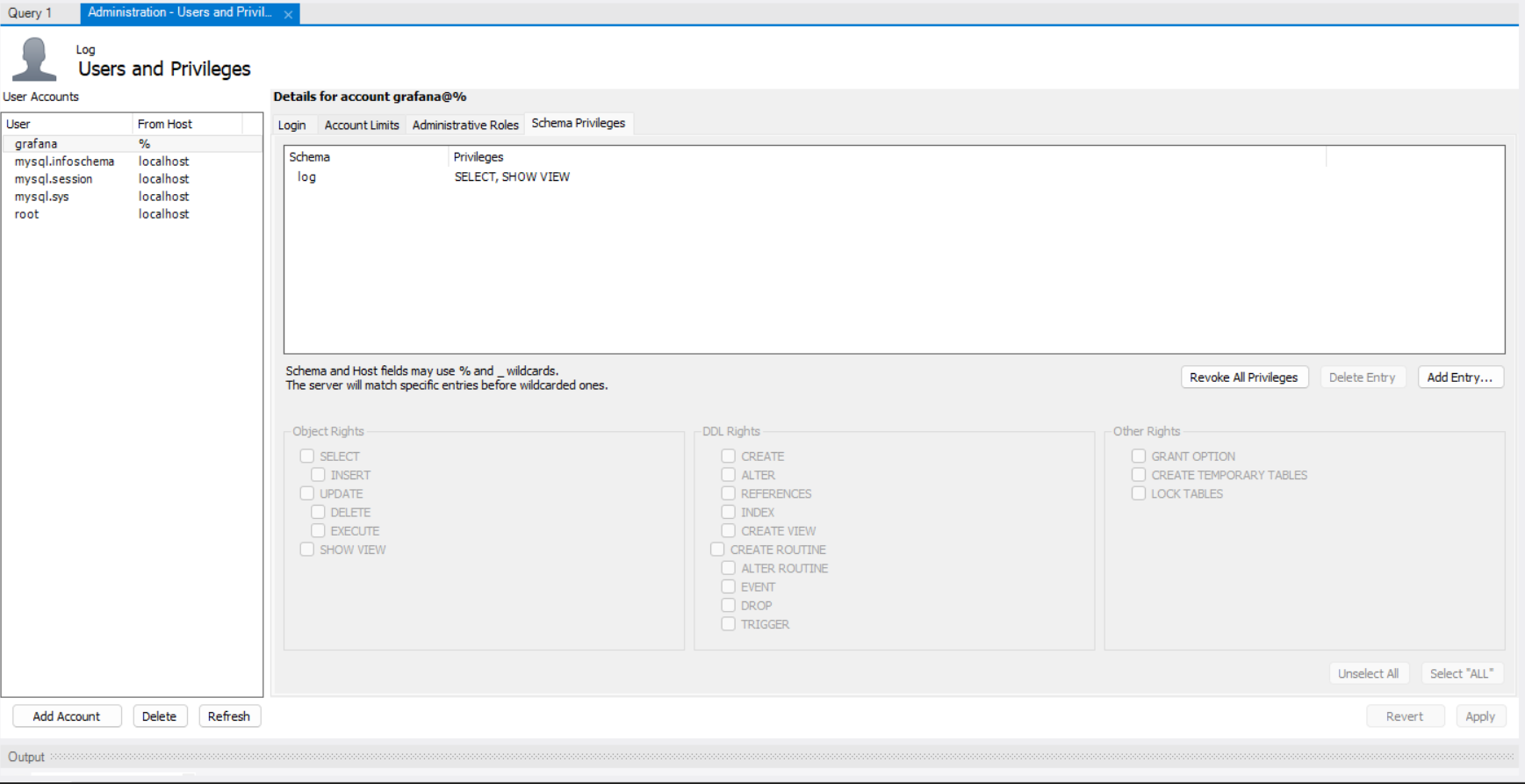
Access Control Granting read-only permissions (SELECT) to the log database to ensure security.
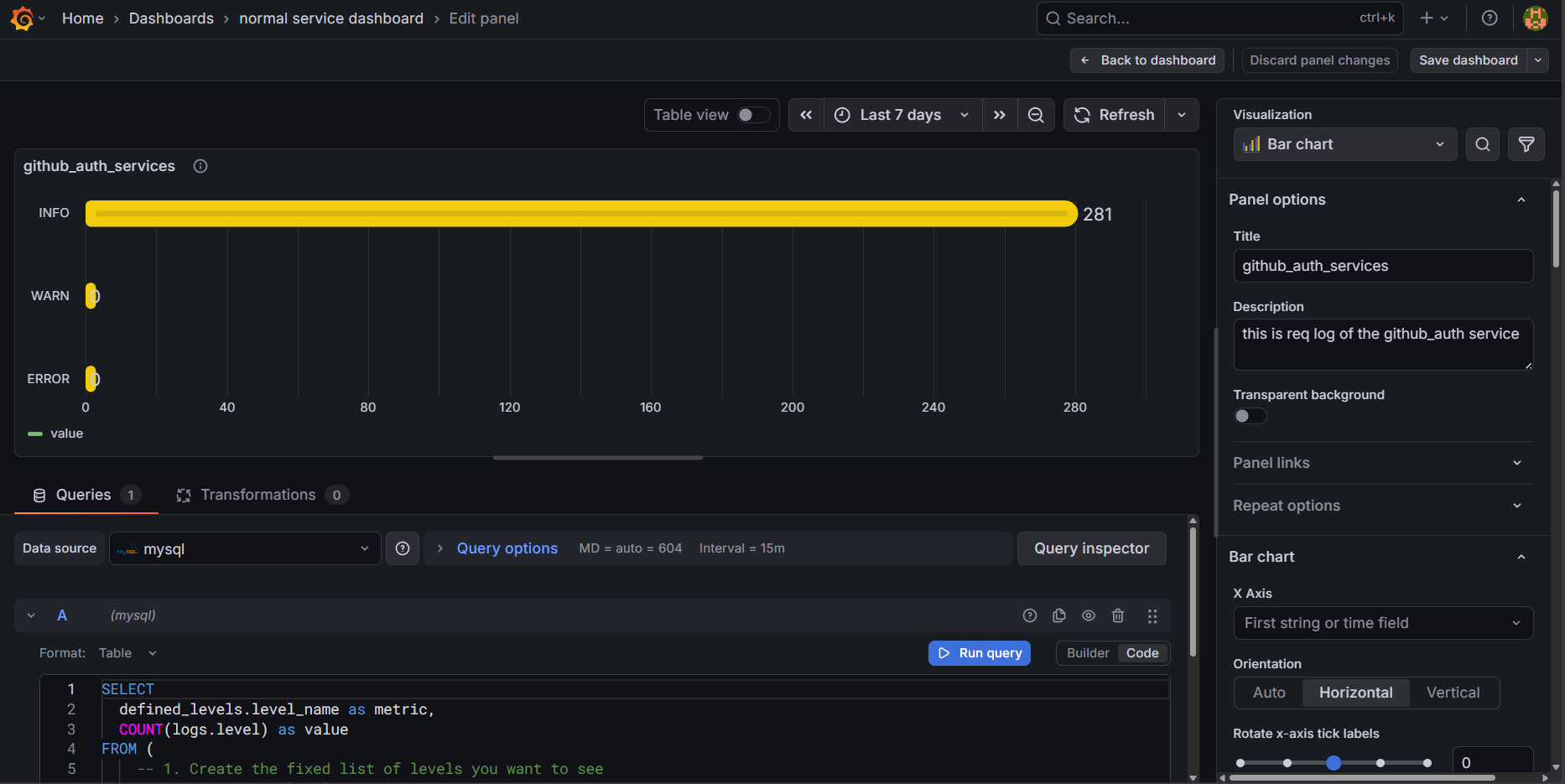
Data Visualization Visualizing log severity metrics in Grafana using the MySQL data source.
3️⃣ Fetching All Files From a GitHub Repo
Next, I worked on the second API in my system:
http://localhost:5000/repo?owner=<owner>&repo=<repo>

/repos/${owner}/${repo}/git/trees/${defaultBranch}?recursive=1
The goal:
Fetch all files from a GitHub repository → process them → store useful ones → send them to Kafka
While building this, I had to solve multiple problems:
✔ Step 1 — Fetch all repo data from GitHub
I used the GitHub Contents API to get the full file tree.
✔ Step 2 — Store results in MySQL
Before inserting anything, I added a custom filter.
✔ Step 3 — Added filtering to skip unwanted files
I avoided loading:
images (jpg, png, svg, etc.)
binary files
config and environment files
anything over a certain size
This keeps the dataset clean and reduces noise.
// --- File Filtering Logic ---
const IGNORED_EXTENSIONS = new Set([
    // Media (Images, Video, Audio)
    '.jpg', '.jpeg', '.png', '.gif', '.bmp', '.ico', '.svg', '.tiff', '.webp',
    '.mp4', '.mkv', '.avi', '.mov', '.wmv', '.flv', '.webm',
    '.mp3', '.wav', '.aac', '.flac', '.ogg', '.m4a',
    // Documents & Archives
    '.pdf', '.doc', '.docx', '.xls', '.xlsx', '.ppt', '.pptx',
    '.zip', '.rar', '.7z', '.tar', '.gz', '.bz2', '.iso',
    '.md', '.markdown', '.txt', '.rst', // Docs
    // Binaries & Bytecode
    '.exe', '.dll', '.so', '.dylib', '.bin', '.obj', '.o', '.a', '.lib',
    '.pyc', '.class', '.jar', '.war',
    // Logs & DB
    '.log', '.sqlite', '.db',
    // Font files
    '.ttf', '.otf', '.woff', '.woff2', '.eot',
    // Web Assets (often noise for code analysis)
    '.css', '.scss', '.less', '.html', '.htm', '.map'
]);

const IGNORED_FILES = new Set([
    'package-lock.json', 'yarn.lock', 'pnpm-lock.yaml', 'bun.lockb',
    'Cargo.lock', 'Gemfile.lock', 'composer.lock',
    '.DS_Store', 'Thumbs.db', '.env', '.env.local',
    'Dockerfile', 'docker-compose.yml', 'LICENSE', 'README.md',
    'Makefile', 'CMakeLists.txt' // Build files
]);

// Directories to skip entirely
const IGNORED_DIRS = new Set([
    'node_modules', 'bower_components', 'jspm_packages',
    'venv', '.venv', 'env',
    'dist', 'build', 'out', 'target', 'bin', 'obj',
    '.git', '.svn', '.hg', '.idea', '.vscode', '.settings', '.next', '.nuxt',
    'coverage', '__tests__', 'test', 'tests',
    'public', 'assets', 'static', 'resources', 'images', 'img', 'media', 'videos' // Asset folders
]);
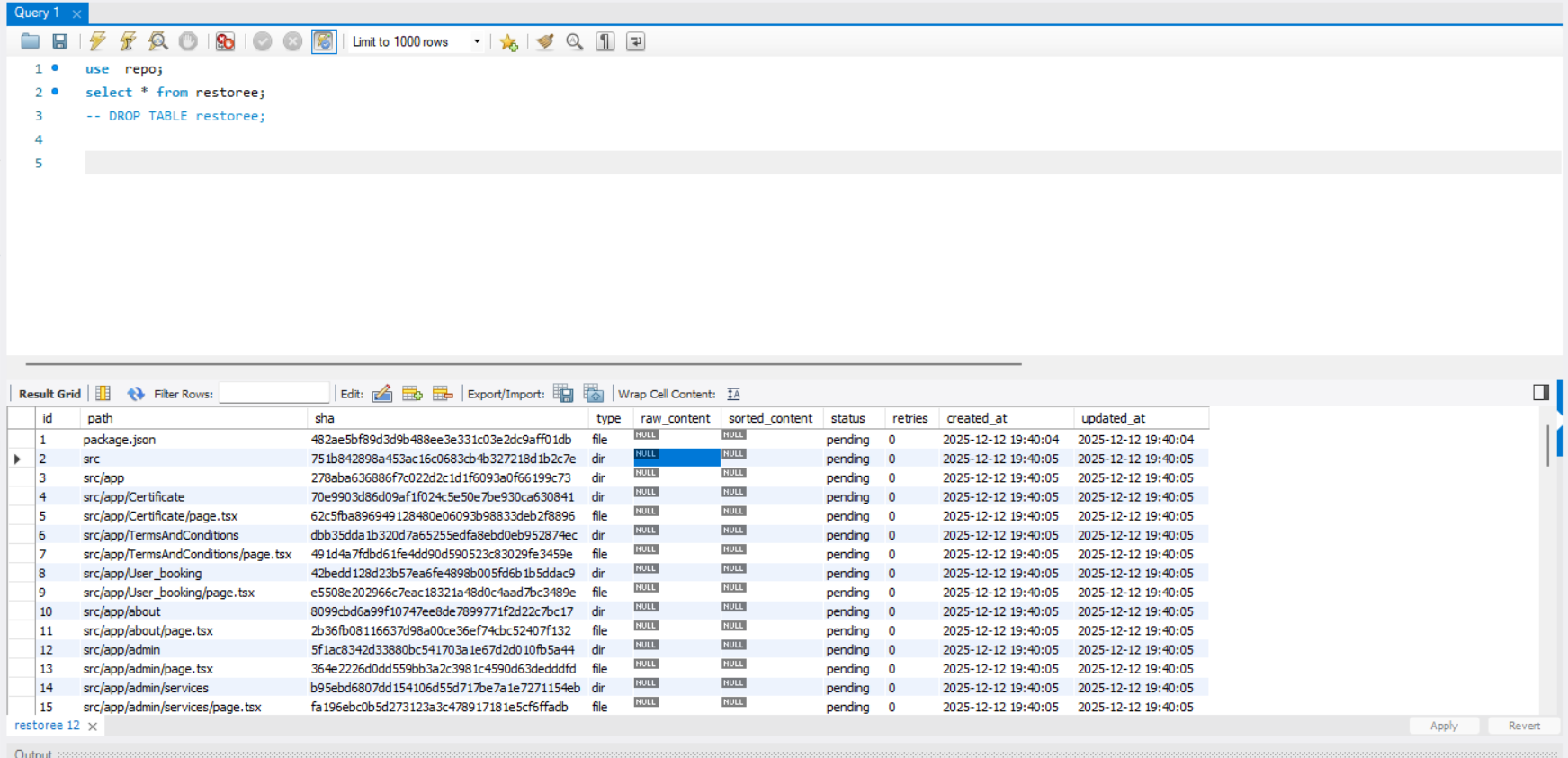
Final Output Verification Querying the restoree table in MySQL Workbench to confirm the filtered repository structure and metadata have been successfully populated.
✔ Step 4 — Publish the filtered data to Kafka
After cleaning, only meaningful files (code files, markdown files, etc.) are:
sent to Kafka for background processing
saved for further analysis like dependency mapping, AST parsing, etc.
This is a big step for my upcoming “repository explorer” feature.
💡 What I Learned This Week
GitHub APIs are powerful but not beginner-friendly
Grafana dashboards make logs feel alive
Data filtering is crucial when dealing with thousands of repo files
🔮 What’s Coming Next
Next week, my main focus will be building one of the most important parts of CodeAtlas:
👉 the repo_parser core service.
This service will:
take filtered repository files
understand project structure
extract meaningful metadata
power future features like code analysis and navigation
But there’s a real-world constraint I hit this week:
⚠️ GitHub API rate limits.
While testing repository fetching at scale, I hit GitHub’s API limits — a reminder that real systems don’t run in ideal conditions.
So alongside repo_parser, I’ll also be working on:
smarter API usage
request batching & caching
better rate-limit handling and backoff strategies
Because before a system can be smart, it has to be reliable.
If CodeAtlas is going to scale, it needs to respect the limits of the platforms it depends on.
More lessons coming next week 🚀
🤝 Contributions
Ideas, improvements, and suggestions are always welcome.
You’re encouraged to submit issues or pull requests to help evolve the platform.